How to Choose the Best CNC Laser Table for Your Projects?
Choosing the best CNC laser table for your projects can be challenging. The market offers various options, each with distinct features to consider. Industry data indicates that the CNC laser machine market is projected to reach $3 billion by 2025. This growth hints at the importance of selecting a machine that meets your specific needs.
According to John Smith, a leading expert in CNC technology, “The right CNC laser table can elevate your design and manufacturing processes.” His insight emphasizes that understanding your project's requirements is vital. Factors such as material type, cutting speed, and precision are crucial in making an informed decision.
Yet, many users overlook essential details when selecting CNC laser tables. It's easy to get overwhelmed by impressive specifications or brand names. Taking the time to analyze what truly matters for your applications can prevent future regret. Engaging with other users and considering feedback can provide valuable perspectives, helping to refine your choice for the perfect CNC laser table.
Understanding CNC Laser Tables: Key Concepts and Terminology
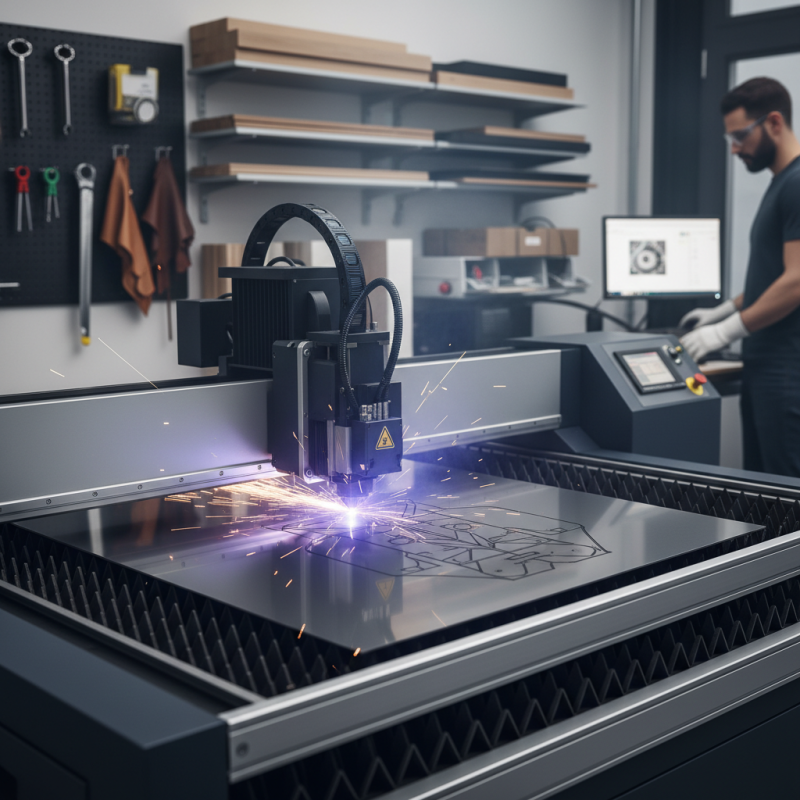
CNC laser tables are powerful tools for various projects. Understanding their main features is essential. A CNC laser table uses computer numerical control to guide lasers in cutting or engraving materials. This precision allows for intricate designs that manual methods struggle to achieve.
Key concepts include power output, speed, and bed size. Power output affects cutting depth and speed. A higher wattage can cut through thicker materials. However, it can also cause burns or excessive heat to delicate surfaces. Speed settings determine how quickly the laser moves while working, impacting the finish quality. Bed size is vital for accommodating the dimensions of your projects.
Terminology like "vector" and "raster" come into play. Vector engraving uses lines to create sharp images. Raster engraving works more like a printer, filling in shapes with detailed patterns. These differences can affect project outcomes significantly. Many beginners often mix up these settings, leading to unsatisfactory results. Learning these terms allows you to optimize your CNC laser table use effectively.
Identifying Your Project Needs: Material Types and Thickness Considerations
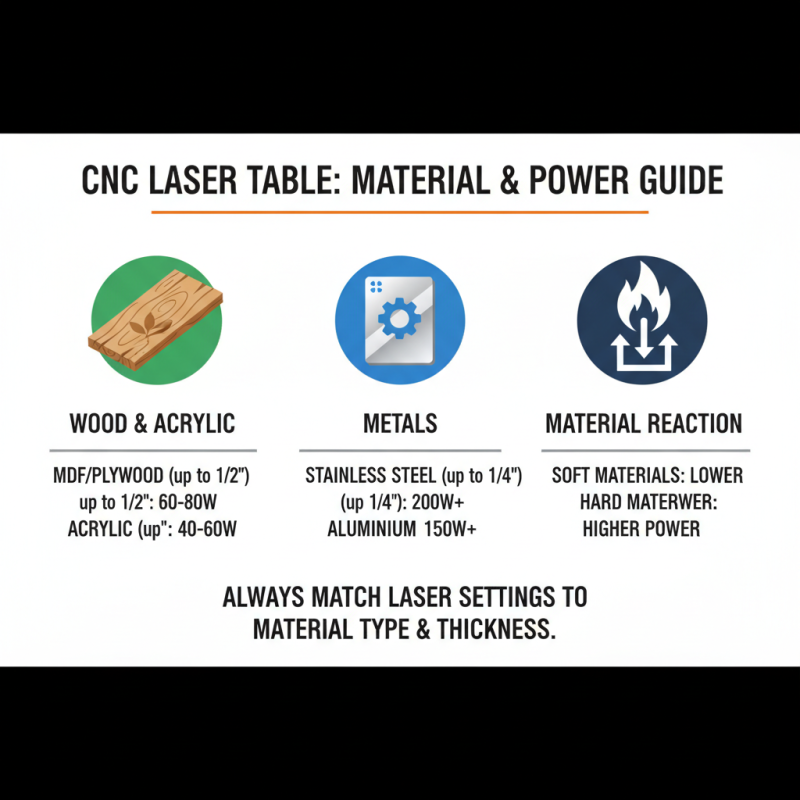
When choosing a CNC laser table, understanding material types and thickness is essential. Different materials react differently to laser cutting. For instance, wood, acrylic, and metals require distinct settings. According to industry reports, wood typically needs a lower power setting than metals. MDF and plywood can cut well at 60-80 watts. In contrast, stainless steel may require 200 watts or more.
Thickness is another crucial aspect. Most laser tables can cut materials up to a certain thickness. For instance, acrylic often goes up to 1/2 inch. On the other hand, thicker metals may limit cutting capabilities. It's common to encounter issues with uneven cuts if the settings are not adjusted. A study indicated that 30% of professionals reported challenges when their equipment was not matching the material thickness.
Understanding these factors helps avoid setbacks. Trial and error can lead to refinements in your approach. Not every laser table can handle all materials effectively. Investigating these unique characteristics ensures quality outcomes. Relying on general specifications alone may lead to frustrations later on. Every project requires a tailored approach, keeping specific material properties in mind.
Evaluating Laser Power and Speed: Finding the Right Specifications
When selecting a CNC laser table, evaluating laser power and speed is crucial. Laser power determines how effectively a machine can cut or engrave different materials. For example, a higher wattage can handle thicker metals but might ruin delicate materials. A balance is essential. Too much power can lead to burned edges or unwanted marks.
Speed is equally important. The faster the machine operates, the quicker your projects are completed. However, running at high speeds can sacrifice cut quality. Sometimes, finding that sweet spot takes trial and error. You might start with a slower setting to see how your material reacts. With practice, you'll identify the optimal speed for various projects. Always keep in mind that each material behaves differently.
Don’t overlook the significance of focusing on both aspects. This could mean adjusting settings frequently as you gain experience. You'll learn what combinations yield the best outcomes. Consider keeping a record of your settings and results. This can serve as a valuable reference, especially for complex projects. Remember, experimentation and reflection will sharpen your skills over time.
How to Choose the Best CNC Laser Table for Your Projects?
| Specification |
Description |
Typical Values |
| Laser Power |
The amount of power the laser uses, impacting cutting and engraving capabilities. |
40W - 150W |
| Cutting Speed |
Speed at which the laser moves while cutting or engraving. |
10 - 1000 mm/s |
| Work Area Size |
Maximum dimensions of the material that can be processed. |
300 x 200 mm to 1200 x 800 mm |
| Engraving Depth |
Maximum depth the laser can engrave into materials. |
Up to 10 mm |
| Cooling System |
Type of cooling that helps to prolong the life of the laser tube. |
Air-Cooled, Water-Cooled |
| Software Compatibility |
Software programs that can be used for designing and operating the table. |
AutoCAD, CorelDRAW, LightBurn |
Comparing Features: Software, Compatibility, and User Interface
When choosing a CNC laser table, several features can impact your workflow.
Software compatibility is crucial.
You need software that interfaces smoothly with the laser system. Many options claim compatibility, but
real-world performance can vary. Check user reviews to gauge how well the software performs tasks like
design importing and modifying.
User interface matters too. A simple, intuitive interface can save you time.
Complicated systems can lead to frustration. Look for systems that offer clear menus
and accessible features. This will streamline your project management.
Visual feedback from the software should be immediate and helpful. Many novice CNC users struggle with steep learning curves.
It's also important to consider how the software works with different file types.
Some machines support multiple formats while others are limited. Research these capabilities.
A laser table may seem perfect, but if it struggles with your preferred design files, you'll face challenges later.
Thus, explore various options and test their usability before making a final decision.
Budget Considerations: Finding a Cost-Effective CNC Laser Table Solutions
When considering a CNC laser table, budget is often a primary concern. The initial cost can vary greatly. An inexpensive model might save money upfront. However, it may lack essential features. It’s vital to assess what your projects will require. A high-quality laser table could be worth the investment. Look for specs that align with your needs.
Think about long-term costs, too. Maintenance is a factor. A cheaper model may require frequent repairs. This can add up over time. Additionally, consider the availability of parts. If a budget model breaks, it might be hard to fix. The right balance between cost and quality is important. You might have to compromise somewhere.
Also, reflect on the learning curve. A more complex table may seem daunting initially. Yet, it can offer precise results for various projects. Sometimes, simpler models don’t yield the expected quality. Researching user reviews can provide insights. Real-life experiences highlight strengths and weaknesses. Aim to choose a CNC laser table that truly matches your needs and budget.
Cost-Effective CNC Laser Table Solutions