
10 Tips for Choosing an Auto Cell Phone Holder?
Choosing an Auto Cell Phone Holder seems simple until your phone slips during a sharp turn. A reliable holder must do more than keep the screen visible. It should fit your dashboard, protect your device, and remain stable on uneven roads. Mounting position matters too. A holder that blocks the windshield can reduce visibility and create unnecessary distractions. This article introduces ten practical tips for making a safer, more informed choice.
The evaluation should begin with real driving conditions, not attractive product photos. Check the clamp strength, adjustment range, installation method, and compatibility with your phone case. Vent mounts may work well in compact cars, while dashboard or windshield mounts can offer better viewing angles. However, heat, sunlight, and repeated vibration may affect long-term performance. No holder is perfect. I once preferred a flexible arm because it offered more adjustment, but it also shook more on rough streets. That experience changed how I compare convenience with stability.
Manufacturer instructions provide useful technical details, but they do not replace careful testing. Read verified customer feedback and look for consistent comments about slipping, loose joints, or difficult release buttons. Consider wireless charging only when the holder supports your phone securely and charges reliably. Safety remains the priority. Keep the screen outside your direct line of sight, avoid blocking controls, and adjust the holder before driving. A thoughtful decision can improve everyday comfort without adding another distraction to the road.
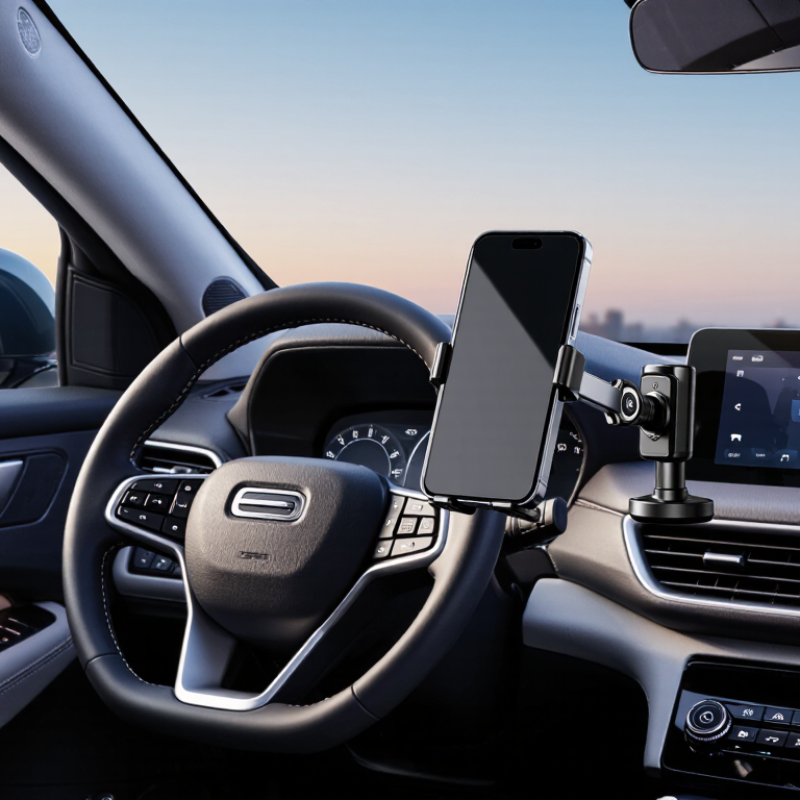
Identify Your Vehicle, Phone, and Driving Requirements
Choosing an auto cell phone holder starts with identifying the vehicle, phone, and driving requirements. A compact car may have narrow vent slats, while a large SUV may offer a textured dashboard. Measure before buying. A holder that fits one surface may loosen on another. Check the phone’s height, width, weight, and case thickness. Wireless charging models also need precise coil alignment. Small details matter.
Your driving routine matters just as much. Navigation requires a clear, stable view, but calls should remain hands-free and set before movement. NHTSA’s 2023 Traffic Safety Facts reports 3,275 deaths linked to distracted driving in the United States. That figure makes reach distance more important than appearance. Pew Research Center reported that about 90% of U.S. adults owned a smartphone in 2023, so poor mounting choices affect many drivers. Keep the holder outside the airbag deployment area and away from essential controls. Confirm local placement rules, since regulations differ by location. Test visibility from your normal seat. Then test it at night.
I once favored the smallest holder because it looked cleaner. That choice can be shortsighted. A heavy phone case, rough road, or weak vent can expose the mistake quickly. Choose a mount that stays firm without blocking mirrors, gauges, or sightlines. No holder fits every vehicle. Leave room to reconsider.
| Tip | Driving Requirement | Vehicle or Dashboard Condition | Phone Considerations | Recommended Holder Type | Important Specifications | Practical Selection Note |
|---|---|---|---|---|---|---|
| 1 | Identify your primary viewing need | Daily commuting on familiar roads | Standard smartphone used mainly for navigation | Dashboard or windshield mount | Adjustable viewing angle; one-hand access; stable locking mechanism | Choose a position that keeps the display visible without blocking the forward road view. |
| 2 | Check the vehicle's available mounting space | Limited dashboard area or a steep, textured dashboard | Any phone size | Air-vent mount or cup-holder mount | Adjustable vent clips or a base compatible with common cup-holder diameters | Avoid mounts that cover essential climate controls or reduce airflow excessively. |
| 3 | Measure phone width and thickness | Vehicle interior does not determine compatibility | Approximate width of 65–85 mm; thickness may increase with a protective case | Adjustable clamp holder | Clamp range should exceed the phone and case width by a small margin | Measure the phone with its case installed because many cases add 2–6 mm of thickness. |
| 4 | Support frequent portrait and landscape changes | Navigation, charging, and passenger viewing | Phone used in both vertical and horizontal orientations | 360-degree rotating holder | Ball-joint adjustment; firm rotation resistance; secure locking ring | A rotating mechanism should move smoothly but remain stable over uneven roads. |
| 5 | Use wireless charging while driving | Vehicle has a compatible USB or 12 V power source | Phone supports wireless charging and is aligned with the charging coil | Wireless charging holder | Qi-compatible charging; approximately 5–15 W output depending on the phone; foreign-object detection | Confirm that the power adapter and cable can supply the required output for reliable charging. |
| 6 | Drive on rough or uneven roads | Frequent vibration, potholes, gravel roads, or off-road conditions | Heavy phone or phone with a thick case | Reinforced clamp or locking suction mount | Multiple contact points; rubberized grips; strong joint; vibration-resistant base | Avoid lightweight spring-only holders if the vehicle regularly experiences strong vibration. |
| 7 | Keep the windshield unobstructed | Large windshield area or strict visibility requirements | Any phone size | Dashboard, CD-slot, or air-vent mount | Compact footprint; low-profile arm; stable attachment without obstructing controls | Position the holder outside the driver's main sightline and away from airbag deployment zones. |
| 8 | Share the vehicle with multiple drivers | Different drivers require different viewing positions | Several phone sizes or cases | Fully adjustable universal holder | Wide clamp range; tool-free angle adjustment; quick-release function | A quick-release design makes it easier to remove the phone without detaching the mount. |
| 9 | Install and remove the holder frequently | Rental vehicle, shared vehicle, or temporary installation | Phone may be removed several times per day | Magnetic or adhesive-free vent mount | Strong magnetic force or secure clip; easy installation; minimal residue | Magnetic systems may require a compatible plate or case and should not interfere with phone functions. |
| 10 | Prioritize long-term durability and safety | Hot summers, cold winters, and regular daily use | Phone and case require consistent support | Heat-resistant universal holder | Temperature-resistant materials; reinforced joints; non-slip padding; load capacity above phone weight | Inspect the mount periodically and replace it if the adhesive, suction seal, clamp, or joint loses strength. |