
Top 10 Types of Display Screen Monitors for Global Buyers

Choosing the right Display Screen Monitor is no longer a simple matter of comparing size and price. Global buyers must examine panel technology, resolution, refresh rate, color accuracy, brightness, connectivity, ergonomics, and energy use. A monitor placed beside a sunlit window needs different performance from one used in a dim editing studio. Small details matter.

Raymond Soneira, president of DisplayMate Technologies, has stated, “The display is the most important component of a smartphone.” His observation also applies to professional monitors, where visual quality directly affects design decisions, medical interpretation, gaming response, and daily comfort. However, specifications can mislead. A 4K panel may look impressive, yet poor factory calibration can produce inaccurate colors. A 240Hz gaming monitor may feel fast, but weak viewing angles can reduce its practical value.

This guide examines the top 10 types of Display Screen Monitor for global buyers, including IPS, VA, TN, OLED, Mini-LED, ultrawide, curved, portable, touchscreen, and professional reference models. Each category serves a different working environment and budget. We consider real purchasing factors, such as warranty support, regional voltage compatibility, port standards, pixel policies, and long-term reliability. Some rankings remain debatable. There is no universal winner. A creative professional may prefer OLED contrast, while an office buyer may prioritize lower power consumption and readable text. Personal testing also reveals an uncomfortable truth: the most expensive monitor is not always the most suitable one. Performance must match the task, workspace, and user. That is where careful comparison becomes valuable.
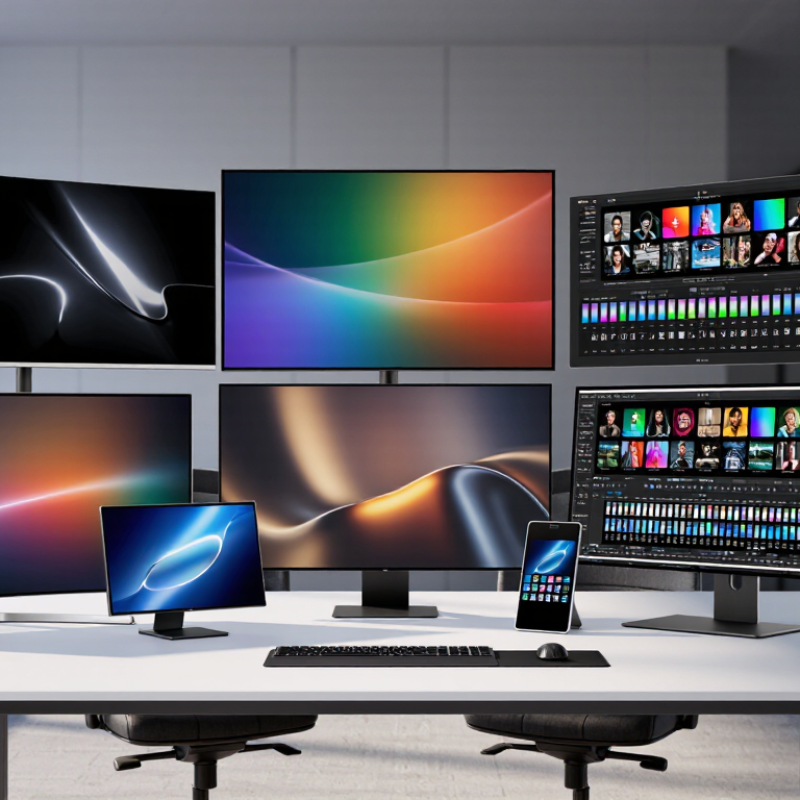
Top 10 Types of Display Screen Monitors for Global Buyers

How Display Screen Monitors Are Defined and Classified

Display screen monitors are devices that convert digital signals into visible images. Buyers usually classify them by display technology, intended use, size, and connection method. A practical definition includes the panel, backlight, control circuit, enclosure, and input ports. Each part affects image quality and operating performance.

The ten common types include LCD, LED-backlit, OLED, curved, touchscreen, gaming, professional color, medical, industrial, and portable monitors.

LCD describes the panel structure, while LED usually describes the backlight. This distinction matters. A touchscreen adds touch detection, but it may reduce brightness through extra surface layers.

Professional color monitors prioritize calibration and stable color reproduction. Medical and industrial models often require specialized durability, cleaning, or image consistency.

Classification should match the working environment, not only the screen size.

Office buyers may value readable text, ergonomic adjustment, and low glare. Designers need wide color coverage and reliable calibration. Outdoor or factory users should examine brightness, temperature tolerance, sealing, and mounting options.

I have found that connection standards also create confusion, because identical ports can support different resolutions or refresh rates. The boundary between categories is not perfectly clean.

A portable monitor can also be a touchscreen, and a gaming model can support professional color work.

Buyers should verify measured specifications, testing conditions, warranty terms, and regional compliance before purchasing. Small details often decide long-term value.

The Ten Main Monitor Types by Display Technology and Form

Top 10 Types of Display Screen Monitors for Global Buyers

The ten main monitor types differ by display technology and physical form. A practical framework starts with standard LCD, LED-backlit LCD, OLED, AMOLED, and QLED. It also includes Mini-LED, curved, ultrawide, portable, and touchscreen monitors. These categories can overlap. For example, a curved monitor may also use OLED technology.

Standard LCD models suit offices and general home use. LED-backlit LCD screens usually offer better brightness and thinner cabinets. OLED provides deep blacks and fast pixel response, while AMOLED is a specialized OLED structure. QLED and Mini-LED designs can deliver stronger brightness and improved contrast. Curved and ultrawide formats help with wider workspaces. Portable monitors support mobile work, and touchscreens benefit interactive tasks.

Practical testing matters. Check text sharpness, viewing distance, refresh rate, ports, and stand adjustment. A bright showroom can hide poor black uniformity. I have found that impressive specifications sometimes feel less useful during long spreadsheet sessions. Some buyers also overlook power consumption and regional plug standards.

Tips: Match the screen to your daily task. Choose OLED carefully for static images. Test ergonomics before prioritizing size. A larger panel is not always more comfortable.

Top 10 Types of Display Screen Monitors for Global Buyers - The Ten Main Monitor Types by Display Technology and Form

No. Monitor Type Primary Classification Core Display Principle Typical Strengths Common Limitations Viewing Angle Best-Fit Applications Buyer Considerations
1 CRT Monitor Vacuum-tube display technology Electron beams excite phosphors on the inside of a glass screen. Excellent motion clarity, natural scaling at multiple resolutions, and no native-pixel structure. Very large and heavy; higher power consumption; limited availability and difficult transport. Generally wide, although image quality can vary across the screen. Legacy industrial systems, retro gaming, specialist testing, and historical equipment. Check operating condition, tube wear, geometry, safety certification, voltage compatibility, and shipping protection.
2 TN LCD Monitor Twisted-nematic liquid crystal Liquid-crystal cells control light from a backlight by changing the orientation of polarized light. Fast response potential, relatively low production cost, and broad availability in entry-level products. Usually narrower viewing angles and weaker color consistency than IPS; contrast and color performance vary by panel. Moderate to narrow, especially vertically. Competitive gaming, office systems, education, and cost-sensitive deployments. Compare measured response performance, refresh rate, color coverage, and viewing-angle specifications rather than relying only on panel type.
3 IPS LCD Monitor In-plane-switching liquid crystal Liquid-crystal molecules rotate within the plane of the panel to regulate the backlight. Consistent color reproduction, broad viewing angles, and strong suitability for general professional work. Native contrast is commonly lower than VA; some models may show IPS glow or backlight bleed. Wide, with relatively stable colors from off-center positions. Graphic design, photo and video work, office productivity, collaborative viewing, and gaming. Review color gamut, factory calibration, uniformity, black-level performance, and adaptive-sync support.
4 VA LCD Monitor Vertical-alignment liquid crystal Liquid-crystal cells align vertically when inactive and tilt to control light transmission. High native contrast, deep LCD blacks, and strong suitability for movies and dark-room use. Dark-level transitions can be slower on some models; off-axis contrast and color may decline. Moderate to wide, generally between TN and IPS depending on the panel design. Entertainment, office work, simulation, gaming, and high-contrast content. Check black smearing, measured response times, uniformity, curvature, and real contrast performance.
5 OLED Monitor Self-emissive organic light-emitting diode Each pixel produces its own light, so a separate LCD backlight is not required. Per-pixel dimming, very deep blacks, high contrast, fast pixel response, and slim panel designs. Potential image retention or burn-in with prolonged static content; brightness and lifespan depend on usage and design. Very wide, with strong off-axis contrast compared with most LCD panels. Premium gaming, cinematic content, creative work, and high-contrast visual applications. Review burn-in protection, warranty terms, sustained brightness, pixel layout, text clarity, and operating environment.
6 QD-OLED Monitor Quantum-dot-enhanced OLED Blue OLED light is converted by quantum-dot layers to produce other colors while retaining self-emissive pixels. Very high contrast, fast response, wide color gamut, and vivid color reproduction. Still subject to OLED image-retention considerations; bright-room performance and text rendering vary by implementation. Very wide, with strong color stability at off-center viewing angles. High-end gaming, HDR entertainment, media creation, and color-rich visual work. Assess subpixel layout, text sharpness, protective coating, peak and sustained HDR brightness, and burn-in coverage.
7 Mini-LED LCD Monitor LCD with a mini-LED local-dimming backlight A large array of much smaller LEDs illuminates an LCD panel in independently controlled dimming zones. Higher full-screen brightness and improved HDR contrast compared with conventional edge-lit LCD designs. Blooming or halo effects may appear around bright objects on dark backgrounds; performance depends on zone count and algorithm. Determined mainly by the underlying LCD panel, such as IPS or VA. HDR content, professional imaging, gaming, video editing, and bright-room use. Compare local-dimming zone count, sustained brightness, HDR certification, fan noise, blooming control, and panel type.
8 E-Paper Monitor Reflective electronic-paper display Microcapsules or microcells move charged particles to reflect ambient light and form text or images. Low eye-glare potential in suitable lighting, very low static power use, and excellent readability for text. Limited color, brightness depends on ambient light, and refresh is generally slower than LCD or OLED. Typically wide for reading, but optical performance depends on the specific e-paper layer. Document reading, coding, writing, office text work, and low-distraction workflows. Check front-light performance, refresh modes, ghosting, color capability, connectivity, and compatibility with required applications.
9 Ultrawide Monitor Wide-aspect-ratio monitor form Uses an extended horizontal aspect ratio, commonly wider than the conventional 16:9 format, to provide additional workspace. Supports side-by-side applications, broad timelines, immersive games, and fewer physical bezels than multi-monitor setups. Requires more desk width; some content may display with side bars; software compatibility and graphics demand vary. Depends on the underlying panel technology; curved versions can improve perceived uniformity across the field of view. Productivity, financial dashboards, video editing, simulation, gaming, and multitasking. Measure desk space, confirm resolution and scaling support, check window-management compatibility, and verify graphics-output requirements.
10 Portable USB-C Monitor Portable monitor form with digital single-cable connectivity Usually uses a compact LCD panel and can receive video and power through USB-C when the connected device supports the required standards. Lightweight, easy to transport, useful for mobile work, and suitable for extending a laptop or handheld device. Smaller screen size, limited brightness or speakers on some models, and USB-C compatibility can vary. Depends on the panel type, with IPS commonly used for broad viewing angles. Travel, remote work, field service, presentations, mobile content creation, and dual-screen laptop setups. Confirm USB-C DisplayPort Alt Mode, power delivery requirements, cable specifications, stand stability, protective cover, and operating-system support.

Comparing Resolution, Refresh Rate, Color, and Response Performance

Top 10 Types of Display Screen Monitors for Global Buyers

Resolution should match viewing distance and workload, not marketing language. A 27-inch monitor at 2560×1440 gives sharper text than 1920×1080 at the same size. For detailed design, 3840×2160 provides more workspace, but scaling may be necessary. Higher resolution also increases graphics demand. That trade-off is easy to overlook.

Refresh rate affects motion clarity and control. Office users may find 75Hz comfortable, while competitive gaming benefits from 144Hz or higher. The International Data Corporation’s Worldwide Quarterly Gaming Monitor Tracker shows continued demand for high-refresh products, reflecting this shift. Yet refresh rate alone proves little. A weak graphics processor cannot consistently supply matching frames. Smoothness depends on the entire system.

Color performance needs measured evidence. Look for sRGB or DCI-P3 coverage, Delta E accuracy, and factory calibration details. VESA’s DisplayHDR Compliance Test Specification sets peak brightness levels, including 400, 600, and 1000-class categories. Brightness is not contrast, though. Local dimming quality can matter more in dark scenes. Response time also deserves caution: advertised figures often use ideal settings, while independent testing may reveal visible trailing.

I have seen impressive specifications produce ordinary images. That is worth questioning.

Matching Monitor Types to Work, Gaming, Creative, and Commercial Needs

Choosing among the top 10 monitor types starts with the user’s real workflow, not a headline specification. For office work, IPS monitors offer balanced color and wide viewing angles, while VA panels provide deeper contrast for long document sessions. Portable monitors suit hybrid workers with limited desk space. Touchscreen models help retail, education, and control-room operators interact quickly. According to IDC’s Worldwide Quarterly PC Monitor Tracker, global monitor shipments showed renewed growth in 2024, reflecting continued demand across home and commercial workspaces.

Gaming requires faster decisions. High-refresh-rate monitors can reduce visible motion blur, while curved and ultrawide designs improve peripheral awareness in racing and simulation games. Grand View Research projects continued expansion in the gaming monitor market through 2030, supported by higher refresh rates and adaptive-sync features. Yet more speed is not always better. A poor graphics card may waste a 240 Hz panel.

Creative professionals should consider 4K, OLED, and factory-calibrated displays for editing, design, and photography. OLED can deliver excellent blacks, but static interface elements may require careful usage. For commercial settings, large-format displays, digital signage screens, and rugged monitors prioritize brightness, uptime, and remote management. VESA’s DisplayHDR specifications offer useful performance benchmarks, but certification alone cannot predict every viewing experience. Room lighting, software scaling, viewing distance, and warranty support still matter. Some buyers overlook these practical details.

Global Buyer Checks: Compatibility, Standards, Supply, and Total Cost

Global buyers compare more than the visible panel. A monitor may use LCD, LED-backlit, OLED, curved, portable, touch, gaming, medical, industrial, or high-brightness technology. Each type creates different purchasing risks. In real sourcing work, I check the host device before requesting quotations. Confirm resolution, aspect ratio, refresh rate, brightness, viewing angle, and connector type. HDMI, DisplayPort, USB-C, and LVDS are not automatically interchangeable. A matching plug can still deliver no image.

Standards require careful verification. Ask for electrical ratings, EMC test records, safety documentation, and material compliance statements. Confirm voltage ranges for the destination market. Check VESA mounting dimensions and operating temperature, especially for factory or outdoor installations. Samples should run continuously with the intended cable and control system. Short tests can hide heat-related failures. No checklist catches everything.

Supply reliability affects the real purchase price. Request sample lead time, monthly capacity, minimum order quantity, component alternatives, and production inspection procedures. A low quote may exclude tooling, packaging, certification testing, freight, import charges, spare units, and warranty handling. Calculate landed cost per usable monitor, not per shipped unit. I once underestimated replacement logistics; the panel price looked attractive, but damaged units consumed the margin. That mistake still matters. Keep a buffer for currency changes and delayed components. Also ask how the supplier manages end-of-life parts. A discontinued controller can make ten thousand finished screens difficult to repair.

Contact Us Today for a Free Quote

(800) 708-6036