10 Tips for Choosing a Laser Cutting Machine

Choosing a laser cutting machine is not simply a contest between wattage, speed, and price. It is a production decision that affects accuracy, maintenance, energy use, and customer satisfaction. A machine that cuts thin stainless steel beautifully may struggle with thick aluminum or reflective brass. The wrong choice becomes expensive quickly.

David Belforte, a longtime laser-industry consultant, offers a practical principle: “Choose the process before choosing the machine.” That advice deserves attention. Before comparing models, examine your real workload. Measure the material types, sheet dimensions, thickness range, daily cutting hours, and required edge quality. A small workshop may need a compact fiber laser, while a high-volume manufacturer may require automation, stronger extraction, and dependable service support.

Look closely.

The ten tips in this guide focus on usable evidence rather than impressive brochures. They cover laser type, power, cutting area, accuracy, software, operating costs, safety systems, maintenance, technical training, and supplier reputation. Ask for sample cuts using your own material. Inspect the kerf, corner quality, burrs, and heat-affected edges under proper lighting. Request a written service response time, not a vague promise.

Specifications can mislead.

A higher-powered laser is not automatically better. It may increase purchase cost and energy consumption without improving your work. I have seen buyers focus on cutting speed while overlooking lens replacement, assist-gas costs, or operator training. That is an easy mistake. Careful comparison, documented testing, and honest reflection will help you select a laser cutting machine that performs reliably beyond the showroom.
10 Tips for Choosing a Laser Cutting Machine

Define Your Materials, Thicknesses, and Cutting Requirements

Choosing a laser cutting machine starts with the material, not the machine’s advertised wattage. List every material you expect to process, including mild steel, stainless steel, aluminum, acrylic, or plywood. Record the actual thickness range, not only the thickest occasional job. A 3 mm sheet and a 20 mm plate demand very different power, optics, gas, and motion control.

Measure your daily workload. Cutting 1 mm stainless steel for signs differs from cutting 12 mm steel parts for fabrication. According to the 2024 Fortune Business Insights report, the global laser cutting machine market was valued at about USD 6.83 billion in 2023, reflecting strong industrial demand. Growth does not mean every machine suits your workshop.

Ask suppliers for tested samples using your material, thickness, edge-quality target, and production speed. Evidence beats a brochure.

Define tolerances before comparing prices. ISO 9013:2017 classifies thermal-cut edges by characteristics such as perpendicularity, roughness, and dross. Those details affect welding, painting, and assembly later.

Consider kerf width, heat-affected zones, piercing time, and gas consumption. Small details matter.

Be honest about uncertain jobs. I have seen buyers choose maximum capacity and ignore thin-sheet accuracy. That can become an expensive mistake. Your cutting list may change next year, so leave practical headroom, but avoid paying for capacity you rarely use.

A simple spreadsheet helps: material, thickness, sheet size, tolerance, monthly volume, and acceptable finish.

Test twice. Then decide.

Compare Laser Types, Power Ratings, and Cutting Capacities

10 Tips for Choosing a Laser Cutting Machine

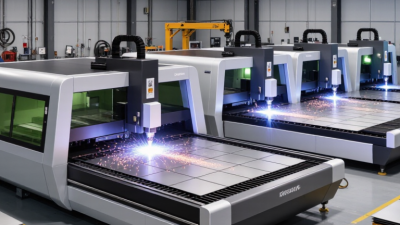
Choosing a laser begins with the material, not the advertised wattage. CO2 lasers often handle wood, acrylic, leather, and many plastics effectively. Fiber lasers are better suited to sheet metal, stainless steel, and aluminum. Diode lasers can cut or engrave thin wood and coated surfaces, but their capacity is usually limited. Each type creates a different edge, kerf, and heat-affected area. Test samples matter.

Power ratings can be misleading without cutting conditions. A higher-power machine may cut thicker stock, but speed, lens choice, focus accuracy, and assist gas also influence results. For example, a 1,500-watt system may cut thin steel quickly, while a lower-power machine may produce cleaner results on delicate materials. Ask for tested thickness charts, not optimistic maximum figures. Real production is less forgiving.

Cutting capacity includes more than maximum thickness. Check the working bed, material size, tolerance, and whether the machine supports repeated jobs. Leave room around large sheets for movement and ventilation. In my experience, beginners often buy excess power and overlook extraction requirements. I have made that mistake myself. A small test grid can reveal scorching, warping, or incomplete cuts before wasted material becomes expensive. Review service access, calibration procedures, and safety interlocks with a qualified technician.

10 Tips for Choosing a Laser Cutting Machine: Compare Laser Types, Power Ratings, and Cutting Capacities

Tip Selection Dimension Typical Data and Comparison Best-Fit Applications What to Check Before Buying
1 Choose the laser source CO₂: commonly operates at 9.3–10.6 µm.
Fiber: commonly operates near 1.06–1.08 µm.
Diode: commonly operates near 0.9–1.1 µm.
CO₂ is suitable for many nonmetals and some metals. Fiber is generally preferred for reflective metals. Diode systems are often used for lower-power marking and light cutting. Confirm that the wavelength is compatible with the materials you will process. Never assume that one laser type can safely cut every material.
2 Match power to material thickness A higher wattage generally allows faster cutting or greater thickness, but results depend on material grade, assist gas, focus, speed, and beam quality. Common industrial fiber systems range from approximately 1 kW to 20 kW or more. Lower power can suit thin sheet and detailed work. Higher power is more appropriate for production cutting of thicker steel, stainless steel, or aluminum. Use the supplier’s tested thickness chart for your exact material. Compare maximum thickness separately from recommended production thickness.
3 Compare cutting capacity Cutting capacity should include maximum material thickness, maximum sheet dimensions, tube diameter or length, and the usable working envelope. A nominal bed size does not always equal the actual cutting area. Flat-sheet machines suit plate and sheet work. Tube-capable machines are better for round, square, rectangular, or channel profiles when rotary processing is required. Verify X, Y, and Z travel, maximum workpiece weight, tube dimensions, loading method, and whether the stated capacity applies to continuous production.
4 Evaluate speed and productivity Advertised rapid-traverse speeds may exceed actual cutting speeds. Productivity is also affected by acceleration, piercing time, repositioning, nesting efficiency, and setup time. High acceleration and reliable piercing are valuable for parts with many holes, short contours, or frequent changes in direction. Request cycle-time tests using representative drawings. Compare finished parts per hour rather than only the maximum travel speed.
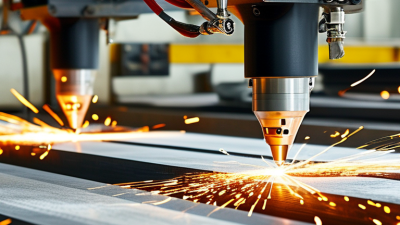
5 Check cut quality requirements Important measures include kerf width, edge roughness, taper, dross, dimensional accuracy, and heat-affected zone. Results vary with thickness, focus position, gas pressure, and cutting parameters. Precision parts may require stable beam delivery, accurate motion control, fine focus adjustment, and carefully controlled process parameters. Inspect sample cuts at several thicknesses. Measure tolerances and edge condition instead of relying only on photographs or marketing claims.
6 Select the correct assist gas Oxygen can increase cutting energy in many mild-steel applications. Nitrogen is often used when a bright, oxide-reduced edge is required on stainless steel or aluminum. Compressed air can reduce operating cost for some jobs. Gas selection depends on material, thickness, edge appearance, corrosion requirements, and operating cost. Confirm gas purity, pressure, flow rate, nozzle requirements, storage needs, and whether the machine supports the gases needed for your production mix.
7 Review automation and software Useful functions may include automatic nesting, height sensing, autofocus, nozzle centering, piercing control, collision protection, job libraries, and remote production monitoring. Automation is especially valuable for repeat production, mixed-order scheduling, unattended operation, and reducing operator-dependent variation. Check supported CAD/CAM file formats, post-processor compatibility, nesting controls, software licensing, updates, training, and data export options.
8 Calculate operating and maintenance costs Total cost includes electricity, assist gas, cooling, extraction or filtration, lenses or protective windows, nozzles, filters, service, and consumables. Electrical efficiency varies by laser type and power level. A machine with a higher purchase price may have lower running costs when it reduces gas use, consumables, labor, or processing time. Request estimated cost per operating hour and a preventive-maintenance schedule. Include replacement intervals for optics, filters, chillers, and extraction components.
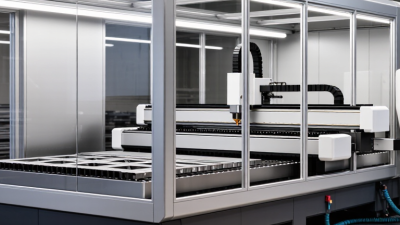
9 Prioritize safety and compliance Enclosed Class 1 systems can help limit operator exposure during normal operation, while open-frame systems require controlled access and appropriate protective measures. Laser cutting also produces fumes, particulates, heat, and fire hazards. Enclosed systems are generally preferable for shared production areas, training environments, and workplaces requiring controlled access. Verify guarding, interlocks, emergency stops, viewing protection, fume extraction, fire detection, electrical compliance, and local workplace safety requirements.
10 Assess service and long-term support Important support factors include installation, operator training, troubleshooting response, spare-parts availability, calibration, software support, and preventive maintenance. Warranty length alone does not define service quality. Strong technical support is particularly important for high-duty-cycle production, complex automation, and facilities without in-house laser technicians. Obtain written service terms, response times, training scope, parts lead times, recommended spare-parts inventory, and the availability of qualified local technicians.

Note: Cutting performance varies with material composition, surface condition, thickness, assist gas, nozzle design, focus position, machine configuration, and process settings. Use verified test cuts for final machine selection.

Assess Cutting Precision, Speed, Workspace, and Flexibility

10 Tips for Choosing a Laser Cutting Machine

Assess cutting precision before chasing maximum power.

Tip 1: Request sample cuts using your actual material and thickness. Inspect corners, narrow slots, and tiny holes under bright light.

Tip 2: Check the machine’s repeatability, not only its advertised accuracy. A slight offset can ruin parts that must fit together.

Tip 3: Examine the cut edge for burns, taper, slag, or roughness. Clean edges often reduce later sanding.

Tip 4: Compare cutting speed under realistic production settings. Faster motion may reduce quality or require several finishing passes.

Tip 5: Ask for test data at different thicknesses. Thin sheet and dense plate behave differently.

Tip 6: Measure the usable workspace, not just the outside frame. Leave room for loading, ventilation, and safe operator movement.

Tip 7: Consider sheet dimensions you commonly handle. A cramped bed creates awkward repositioning and wasted time.

Tip 8: Look for flexible settings, including adjustable power, speed, focus, and gas control. Different materials need different combinations.

Tip 9: Check whether the software supports your preferred file formats and nesting methods. Simple workflows prevent avoidable setup errors.

Tip 10: Inspect maintenance access and replacement procedures. A machine can cut beautifully, yet become frustrating when cleaning takes too long.

I once underestimated workspace clearance and regretted it. That detail matters. Also, promised speed is not always practical speed; test the complete workflow, including loading, focusing, cutting, and inspection.

Review Software, Automation, Safety, and Maintenance Features

Choosing a laser cutting machine requires more than comparing wattage and table size. Review the control software first. It should import common CAD files, simulate toolpaths, flag collisions, and record cutting parameters. A clear interface reduces setup mistakes. Test it with your own files. Cloud access is useful, but offline control remains important during network failures.

Automation should support real production, not decorate a brochure. Check automatic nozzle cleaning, material detection, loading systems, and job scheduling. The International Federation of Robotics reported 541,302 industrial robots were installed worldwide in 2023. That growth shows why connected automation deserves careful evaluation. Ask whether the machine shares data through standard protocols. Also check whether operators can override routines safely. I have seen impressive automation become a bottleneck when staff cannot edit a bad sequence.

Safety features need practical testing. Look for enclosed beam paths, interlocked doors, emergency stops, extraction monitoring, and clear fault messages. Confirm training records and risk assessments align with ISO 12100 principles. NIST SP 800-82 Rev. 3 also recommends separating industrial control systems from ordinary business networks.

Maintenance deserves equal attention. The U.S. Department of Energy’s Operations and Maintenance Best Practices Guide identifies typical savings of 5% to 20% from effective maintenance programs. Request service intervals, spare-part lead times, diagnostic logs, and maintenance access. Inspect the filters yourself. A glossy interface cannot repair neglected optics.

Calculate Total Ownership Costs and Supplier Support Availability

A laser cutting machine costs more than its purchase price. Calculate shipping, installation, electrical upgrades, software, training, and ventilation before comparing quotations. Include electricity, assist gas, lenses, nozzles, filters, and routine calibration. These small items can quietly increase monthly expenses.

Tip 1: Request a five-year ownership estimate from each supplier. Ask for expected maintenance hours, replacement-part prices, warranty exclusions, and typical energy use. Also estimate production losses during servicing. A cheaper machine may become expensive after repeated downtime. I once underestimated consumable costs. That mistake changed my evaluation method.

Tip 2: Test the supplier’s support before signing. Ask how quickly technicians respond, where spare parts are stored, and whether remote diagnostics are available. Confirm installation supervision, operator training, software updates, and emergency assistance in writing. Speak with current users, if possible. Their experience often reveals delays that sales documents hide. Support quality varies. Do not assume availability.

Tip 3: Examine the service network near your facility. A distant technician may add travel fees and several idle days. Request sample maintenance schedules and escalation procedures. Clarify who handles calibration, troubleshooting, and safety inspections. Keep a realistic downtime allowance in your financial model. Perfect projections are rare. Honest assumptions are more useful.

Contact Us Today for a Free Quote

(800) 708-6036